
The Why-Page. Read This Before You Decide Captions Is for You.
How PostHelp Captions turns a photo or a pasted link into platform-tuned posts, how the AI learns to sound like you, and what stays under your control. No marketing fluff, just the mechanics in plain language.
What Captions Does, and What It Doesn't
The single most common misunderstanding when people first hear about Captions is that it posts to social media for you. It does not. Read this side-by-side before going further so the rest of the page lands in the right place.
What Captions Does
- Reads a photo you upload OR a public web page you paste a link to.
- Reads your profile (business name, tone, services, rules).
- Writes captions tuned for Google Business Profile, Facebook, Instagram, and LinkedIn.
- Lets you edit any caption inline before you copy it.
- Lets you redo any single platform without redoing the others.
- Saves what you save to history so future captions sound more like you over time.
What Captions Doesn't Do
- Connect to your social media accounts. Captions never asks for your Facebook, Instagram, LinkedIn, or Google login.
- Schedule posts. There is no calendar, no queue, no posting time.
- Post for you. Every caption is copied by you and pasted by you, on your own account.
- Auto-publish, auto-respond, auto-anything. The human stays in the loop on purpose.
- Train AI models on your photos or your saved posts. Your content stays yours.
Two Ways In: Photo or Link
The Generate Post screen has two tabs at the top. Both are first-class. Pick whichever fits the post you want to make. The flow downstream is identical.
Photo Mode
Upload a photo from your phone, your computer, or your camera roll. Captions looks at the actual image plus your profile and writes posts about what it sees.
Best for: finished job sites, before-and-afters, products in your hand, salon work, real estate exteriors, anything visual.
Link Mode
Paste any public URL. Captions fetches and reads the page server-side, including its title, body text, and a representative image. The AI writes posts promoting that page.
Best for: blog posts, product pages, contact pages, FAQ pages, signup pages, event pages, anything with a public URL you want more eyes on.
Three Steps. Under a Minute. Same Either Way.
Whether you uploaded a photo or pasted a link, the flow from input to posted caption is the same three steps.
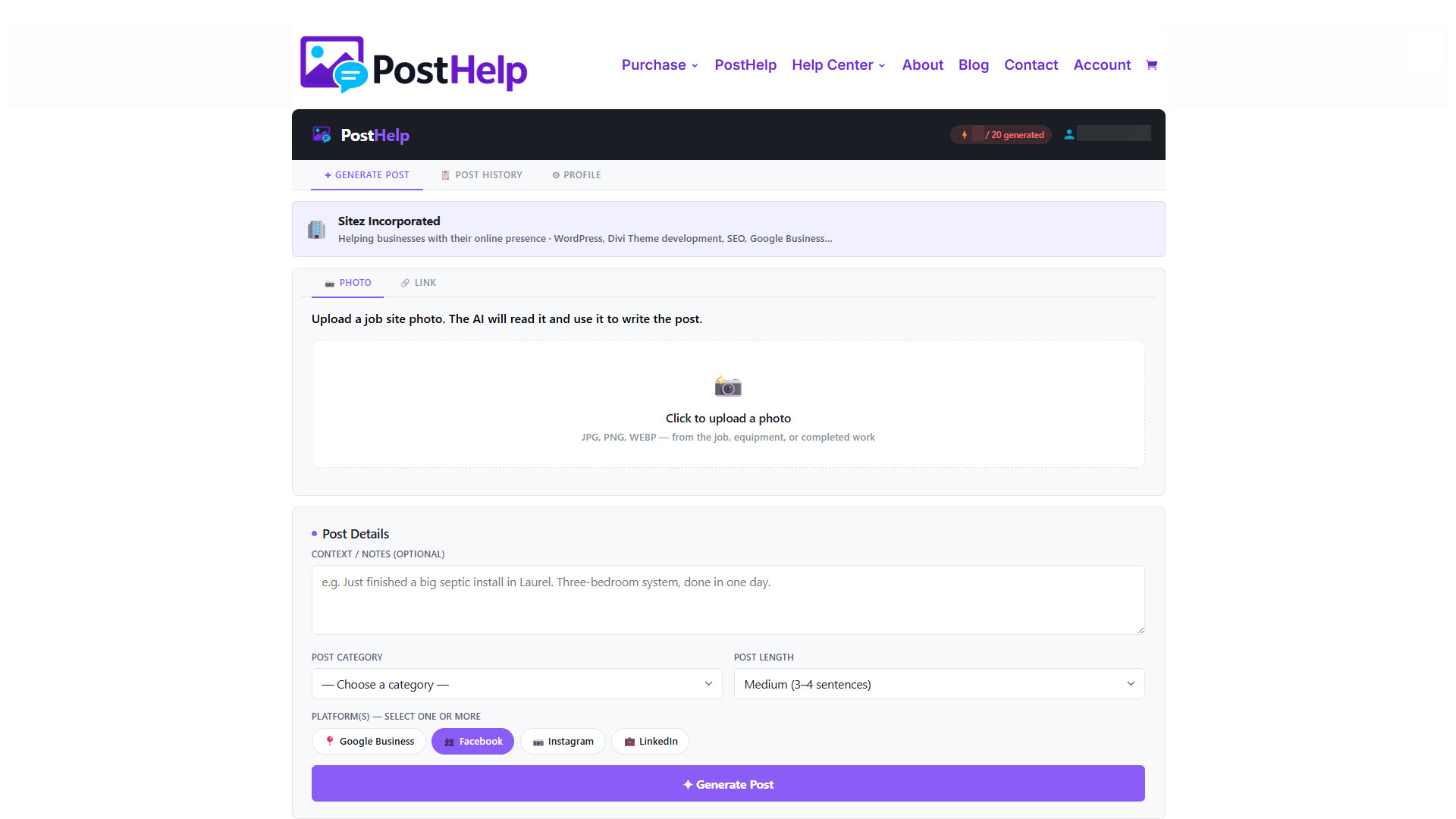
You Give Captions Something to Work With
Open the Generate Post screen. Pick the Photo tab and upload an image, or pick the Link tab and paste a URL. Optionally add a short note in the Context field if you want to point the AI at something specific - "This is a complete bathroom remodel finished today" or "Promote this for the upcoming sale."
Then pick which platforms you want captions for. Each platform you check counts as one generation when you click Generate.
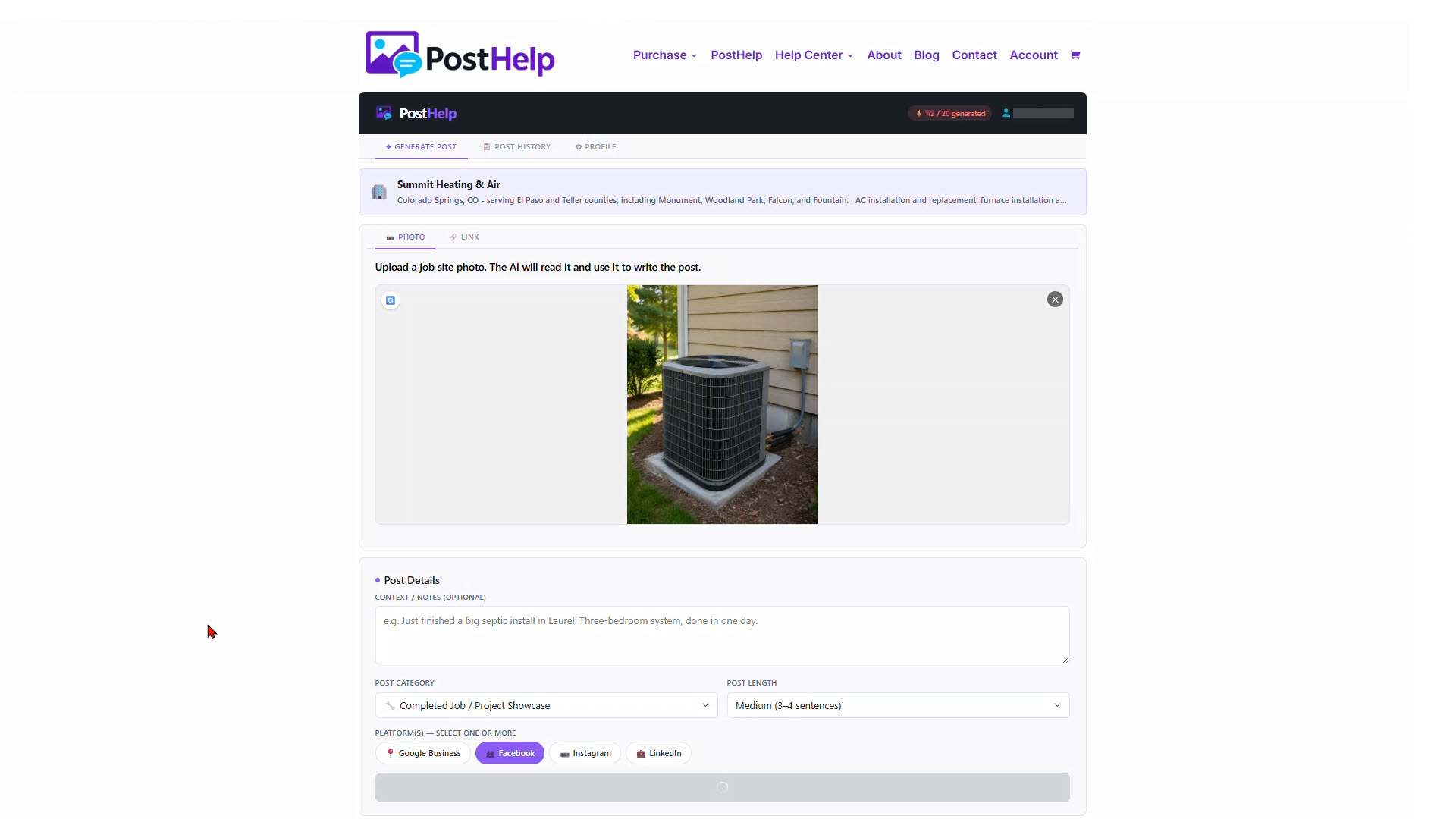
Captions Reads, Thinks, and Writes
When you click Generate, Captions gathers everything the AI needs: the photo or the extracted page content, your profile (business name, services, voice, rules), your most recent saved posts, and any context note you typed. It sends one request per platform and gets one platform-tuned caption back.
This usually takes under ten seconds total for all four platforms. There is no queue and no lag - Captions does each request in parallel.
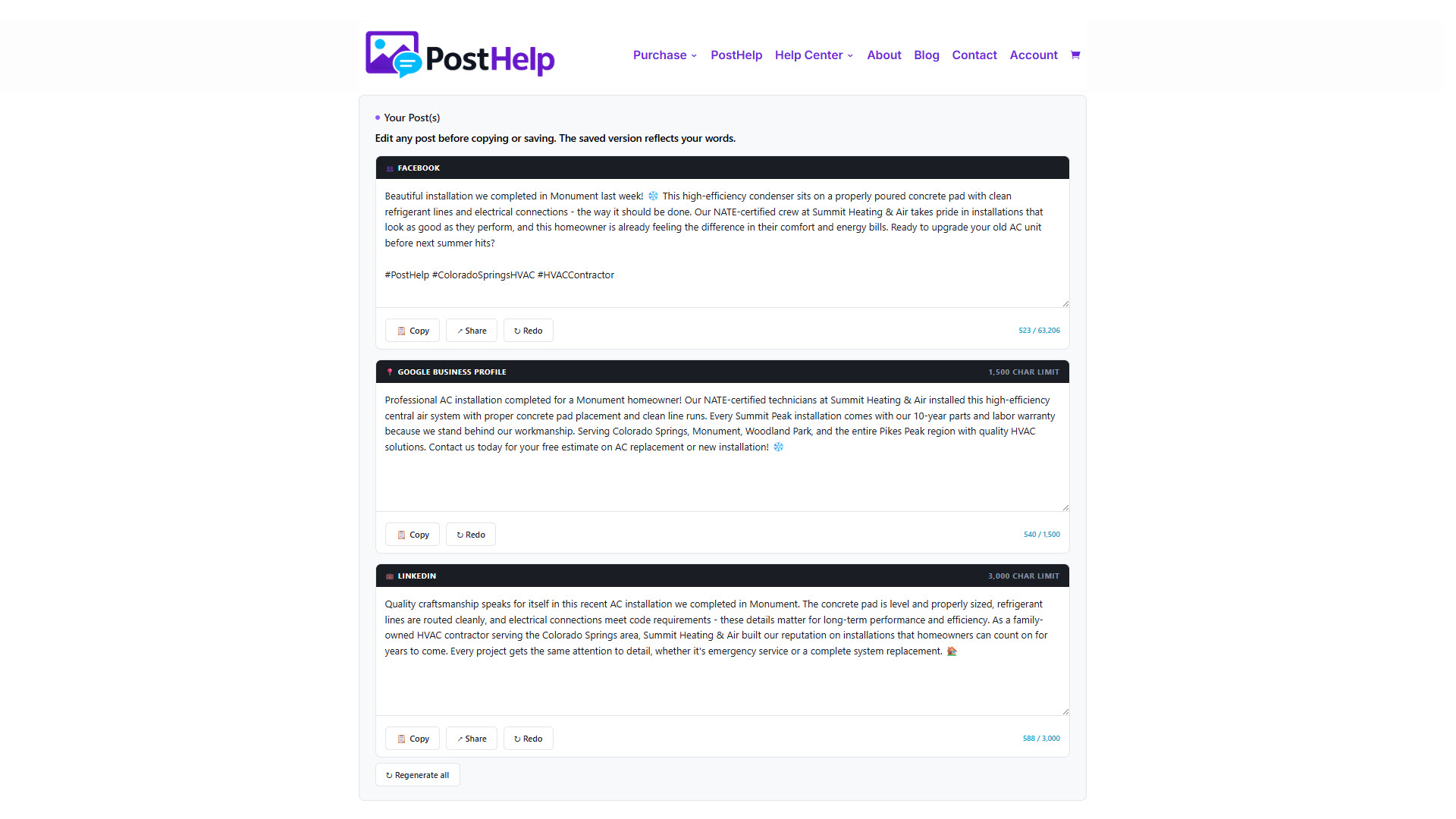
You Edit, Copy, and Post
Each platform's caption appears in its own card with three controls: edit the text inline if you want to tweak something, hit Redo on that single platform if it missed the mark, or click Copy to put the caption on your clipboard.
Then switch to the platform you want to post to (in the app or the website), paste, and publish. Captions' job is done at the Copy button. You do the posting.
How the AI Actually Writes Your Captions
Same AI engine, two different recipes depending on the input mode. Here's what's in each recipe.
Photo Mode
The AI receives:
- Your photo. The model can see what's in the image - the trade work, the product, the setting, the people, the colors.
- Your profile. Business name, services, location, voice/tone pills, About description, Rules.
- Your recent saved posts. The last 20 you saved (more on this below).
- Your context note. The optional one-line note you typed in the Context field.
- Your settings. Post category, length, hashtag count, emoji preference, all per platform.
The AI writes a caption that describes what it sees, in your voice, for the platform you picked.
Link Mode
The AI receives:
- The page's title and body. Captions fetches the URL server-side and extracts the readable text using a content extractor with a fallback for thin pages.
- The page's representative image. Pulled from og:image, falling back to favicon, falling back to a Captions default.
- Your profile, your saved posts, your context note. Same as photo mode.
- The auto-detected page type. BlogPosting, Product, NewsArticle, WebPage - read from the page's schema markup.
- Your settings. Length, hashtag count, emoji preference, all per platform. Category is auto-detected from the page type.
The AI writes a caption that promotes that specific page, in your voice, for the platform you picked.
How the AI Learns Your Voice
This is the part nobody else does. Read it carefully because it's why your Captions posts get better over time without you doing anything.
Every time you click Save on a generated caption, Captions adds it to a rolling memory called post_examples - a per-profile window of your 20 most recently saved posts. When the window fills up, the oldest entry rolls off as a new one rolls in.
On every future generation, those 20 examples get sent to the AI alongside everything else (your photo or link, your profile, your context note). The AI gets one specific instruction along with them: use these to match the business owner's voice and style, but do NOT repeat similar themes, phrases, openings, or calls to action. Each new post should feel fresh and different.
That single instruction does double duty. It pulls the AI toward how you actually write, and it pushes the AI away from copying itself. The more posts you save, the more your AI-generated captions converge on your real voice. And the more it knows what you've already posted, the less likely it is to recycle a caption that looks like one from last month.
Voice convergence
The AI mimics how you actually write, not just the tone pills you ticked. The more you save, the more it sounds like you wrote it on a good day.
Duplicate avoidance
The AI knows what you've posted recently. It won't recycle openings, themes, hashtags, or calls to action you've already used.
This runs invisibly. There is no UI for it, no setting to toggle, no slider to tune. Save the captions you love. The next ones get better.
Why Each Platform Gets a Different Caption
The same photo or link generates four different captions because the four platforms reward four different styles. Captions tunes each one to what works on that platform - not just the same words pasted four times.
Google Business Profile
Local and professional. Hashtags off by default because Google ignores them. Optimized for the people searching your trade in your service area.
Conversational. Slightly longer than GBP. A handful of hashtags by default. Reads like something you'd say to a neighbor.
Visual-first and hashtag-heavy. Up to 15 hashtags by default. Plays well with the photo as the lead element.
Polished. Professional tone, fewer hashtags, no emoji overload. Reads like industry insight, not a sales pitch.
You Stay in the Conversation
Captions deliberately stops at the Copy button. Most current AI social-posting tools write the post AND post it automatically, with the business owner never in the loop. Our stance is the opposite.
A business owner who wants to communicate with their customers in the right way needs to actually be the one communicating. Captions helps you post. It doesn't post for you.
You stay in control of what gets posted, where, and when. You can tweak any caption inline before copying it. You can redo a platform that missed. You can decide to skip a platform entirely. The AI shapes the words; you shape the conversation.
That's also why we lean so hard on the voice profile and the saved-post learning. The goal is captions that sound like you, posted by you, under your name, on your timing.
What Happens to Your Photos and Posts
Trades pros and small business owners both worry about this and they're right to. Here's exactly what Captions stores, what it doesn't, and who can see it.